

One-way translation
Listener helps you understand another speaker. It does not translate your reply back to them.
Listener
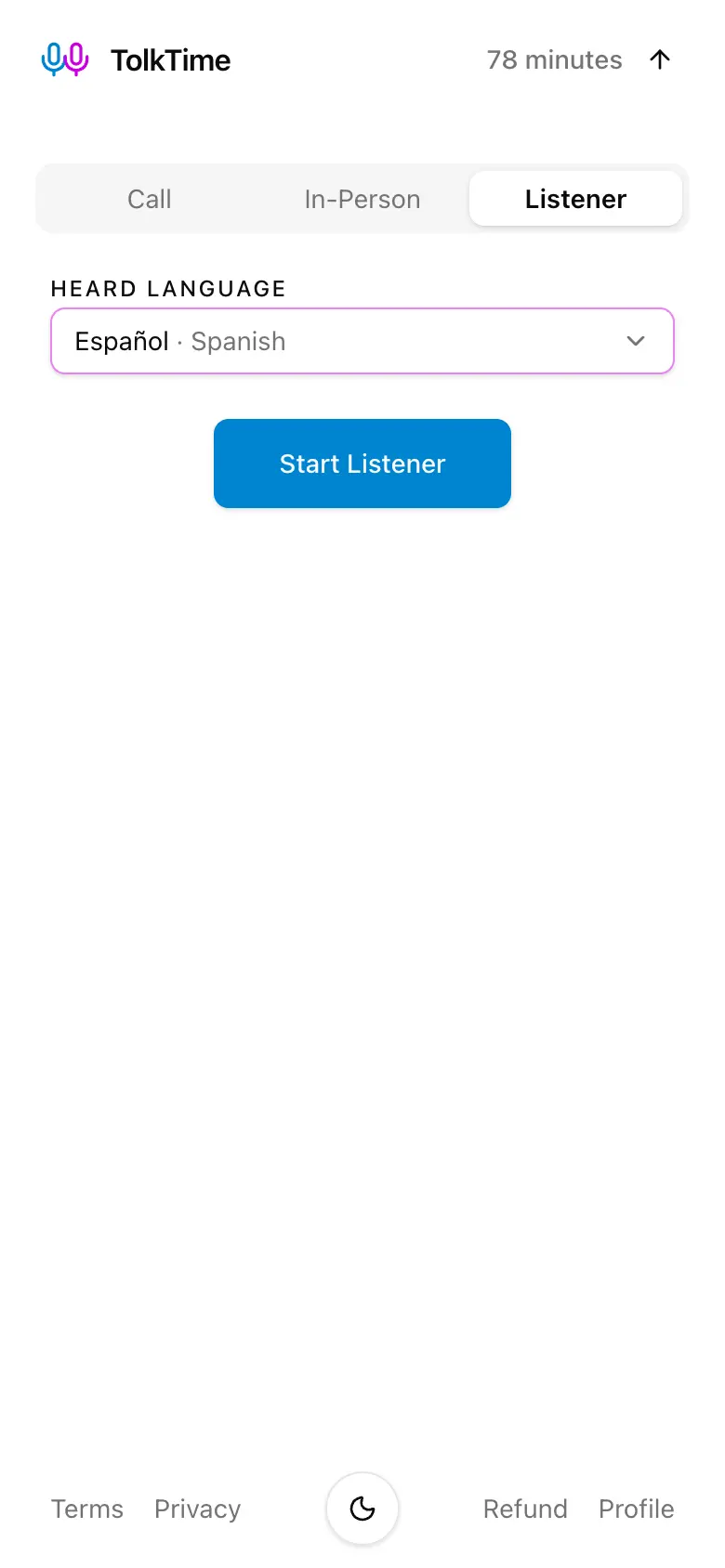
Choose the language you hear, follow live translated subtitles, and optionally listen to translated voice through earbuds or headphones.

Listener mode is a one-way live translator for speech around you. It listens through your microphone and returns translated subtitles in the language you understand.
Listener helps you understand another speaker. It does not translate your reply back to them.
Translated subtitle lines appear continuously while speech is being processed.
Turn on voicing when you also want to hear the translated result. Subtitles remain available either way.
When voicing is enabled, earbuds or headphones keep translated playback away from the microphone.
Choose the language you hear, decide whether voicing is on, and stop the listening session when you are done.

Choose the language being spoken, start listening, and follow the translation as subtitles or optional voice.
Start with 10 free minutes. After that, $7.50 adds 60 minutes of Listener translation time.
New accounts start with 10 free minutes, so you can try Listener mode before adding balance.
Listener normally uses balance at 1x, so 60 balance minutes provide about 60 minutes of active listening after rounding.
TolkTime is built for live translation, not for storing the speech you listen to.
TolkTime processes microphone audio for live translation. We do not record or store the listening audio on TolkTime servers.
For billing and session history, we store the session duration and the languages used.
Accents, specialist terms, background noise, unclear speech, distant speakers, and overlapping voices can reduce accuracy.
Listener works best when the device can hear one clear speaker without translated playback feeding back into the microphone.
Place the microphone close enough to capture the speaker clearly without blocking or covering it.
One clear speaker and a quieter environment make subtitles and translated voice easier to follow.
They prevent translated playback from being picked up again by the microphone, reducing echo and repeated translation.
Listener mode is for one-way understanding. TolkTime also has modes for remote browser Calls and face-to-face conversations on one shared device.
Host a remote browser Call, share one link, and let guests join without an account.
Learn about multilingual CallsUse one device for a face-to-face conversation and take turns speaking.
Explore In-Person modeChoose the language you hear, start listening, and follow live translated subtitles.