
Microsoft Teams
Interpreter inside the Teams meeting workflow
Compare
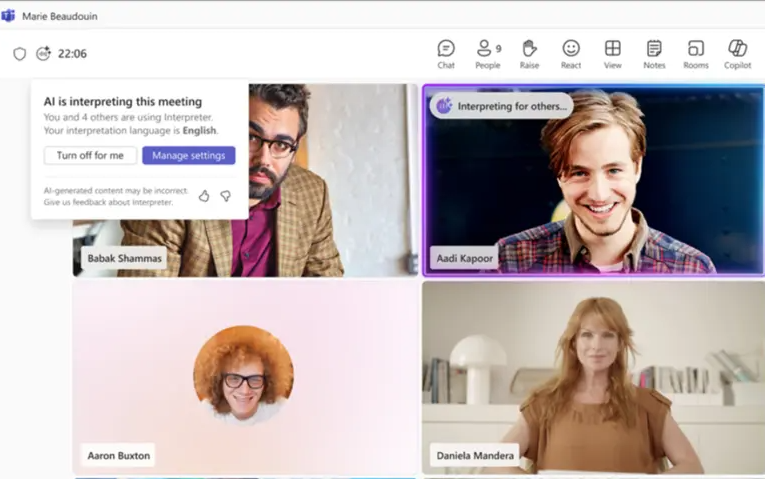
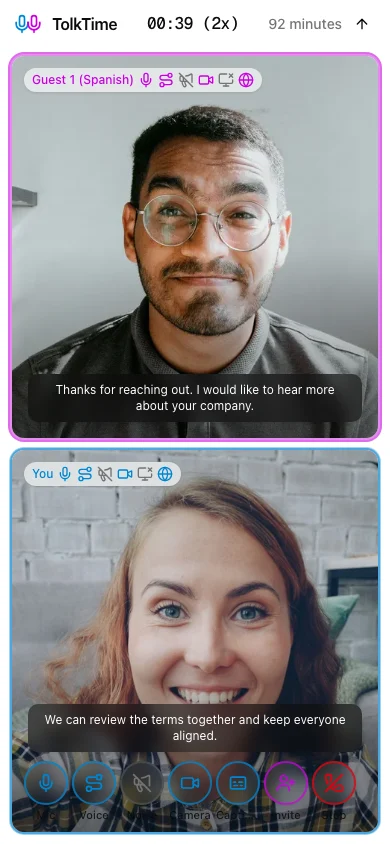
Compare Microsoft Teams Interpreter with TolkTime Call mode for external voice-to-voice translated calls.
Sources: Microsoft Teams Interpreter support, Microsoft 365 Business Standard pricing, Microsoft 365 Copilot pricing (last checked: 2026-07-02)
Microsoft Teams
Interpreter inside the Teams meeting workflow

TolkTime
Translated Call mode with one browser invite link
Microsoft Teams Interpreter is a good fit when both sides are already licensed Microsoft Teams and Microsoft 365 Copilot users, and the meeting needs the broader Teams collaboration environment.
TolkTime is built for small external translated calls where the host sends one link and the guest joins without an app, account, payment, subscription, or setup.
Both tools provide a voice-to-voice experience for live conversations. The practical difference is the workflow, especially when the guest is outside your organization.
| Category | Microsoft Teams Interpreter | TolkTime Call mode |
|---|---|---|
| User-facing translation type | Voice-to-voice (slower, creates voice from translated text) | Voice-to-voice (faster, preserves tone and emotions) |
| Translation output | Translated voice | Translated voice + captions |
| How translation works | Speech > Text > Translated text > Generated voice | Speech > Translated voice |
| Supported languages | 10 languages | 66 languages |
| External guest with no subscription can receive translated voice | No | Yes |
| Anonymous guest can use translation | No | Yes |
| Guest account required for translation | Yes, verified Microsoft 365 account required | No |
| Guest license required for translation | Yes, valid Microsoft 365 Copilot license required | No |
| Host can pay for the guest | No simple host-pays-for-guest workflow | Yes |
| Max participants | Up to 1,000 with Interpreter enabled | Up to 6 |
| Best for | Licensed Microsoft Teams meetings | Small external translated calls |
| Pricing model | Microsoft 365 subscription with Copilot access | Pay per translated call |
| Market availability | Copilot products are unavailable in some markets | All markets |
| Included translation usage | 20 interpretation hours per person per month with Microsoft 365 Copilot | Pay as you go |
This table compares the pricing approach first, then shows what the monthly Microsoft license basis means at different usage levels.
| Scenario | Microsoft Teams Interpreter | TolkTime Call mode |
|---|---|---|
| Pricing approach | Subscription-based: each participant needs qualifying Microsoft 365 Copilot access for a translated voice conversation. | Usage-based: the host pays $7.50 per hour for each participant. |
| 1 host + 1 guest, both licensed | 2 x $28.20 = $56.40/month before any interpretation-hour usage math. | $15.00 only when the translated Call actually runs. |
| If both use all 20 included interpretation hours | $56.40 / 20 = $2.82 per 1-to-1 call-hour. | $15.00 per 1-to-1 call-hour. |
| If they use only 5 interpretation hours/month | $56.40 / 5 = $11.28 per 1-to-1 call-hour. | $15.00 per 1-to-1 call-hour. |
| If they use only 1 interpretation hour/month | $56.40 / 1 = $56.40 per 1-to-1 call-hour. | $15.00 per 1-to-1 call-hour. |
| Category | Microsoft Teams Interpreter | TolkTime Call mode |
|---|---|---|
| Can the guest join the call? | They may be able to join the Teams meeting, depending on meeting settings | Yes |
| Can the guest receive translated voice without an account? | No | Yes |
| Can the guest receive translated voice without a Copilot license? | No | Yes |
| Can the guest use translation anonymously? | No | Yes |
| Can the host pay so the guest gets translation? | No simple equivalent | Yes |
| Does the guest only need to click a link? | No, not for Interpreter access | Yes |
The host chooses languages, starts a Call, sends one invite link, and the guest joins from the browser.
Microsoft Teams Interpreter is narrower and is intended for licensed Teams and Copilot meeting workflows.
TolkTime is designed for lightweight translated calls across the full language list available in the app.
Start a TolkTime Call, choose languages, and invite your guest with one link.


