Zoom
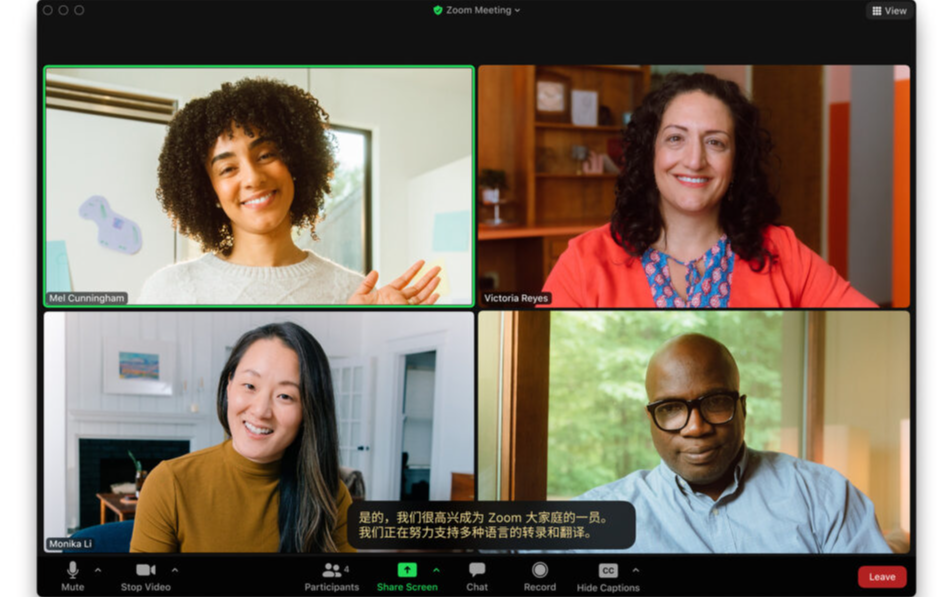
Translated captions inside a Zoom meeting
Compare
Zoom is a broad meeting platform with translated captions. TolkTime is a focused translated-call tool for hearing translated voice without buying a Zoom subscription or caption add-on.
Sources: Zoom translated captions support, Zoom viewing translated captions support, Zoom Workplace pricing, TolkTime pricing, TolkTime languages (last checked: 2026-07-03)
Zoom
Translated captions inside a Zoom meeting

TolkTime
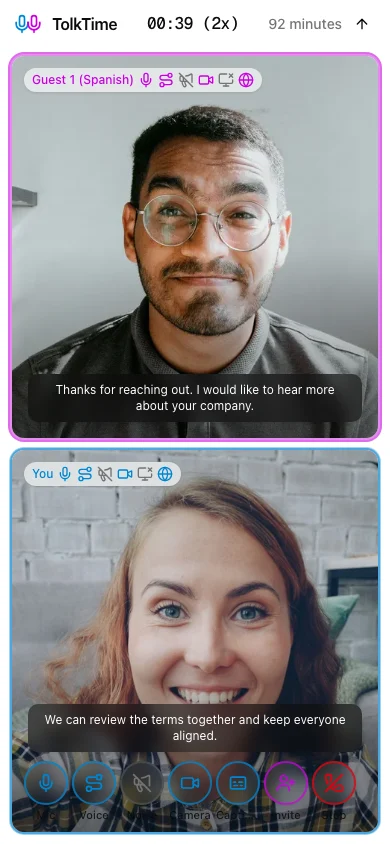
Translated Call mode with voice translation and captions
Zoom is a good fit when your organization already pays for a plan or add-on with translated captions and participants are comfortable reading captions inside Zoom.
TolkTime is a good fit when you want voice translation without buying a Zoom subscription or caption add-on: start a paid Call, share the link, and pay only for the translated channels you use.
Zoom translated captions help people read translations during a meeting. TolkTime Call mode lets people hear translated voice and also see captions in a focused translated call.
| Category | Zoom translated captions | TolkTime Call mode |
|---|---|---|
| User-facing translation type | Translated captions | Voice-to-voice translated calls |
| Translation output | Text captions | Translated voice + captions |
| How translation works | Meeting speech > captions > translated captions | Live speech > translated voice + captions |
| Supported languages | 36 speaking/input languages + 3 translate-to-only languages | 66 languages |
| Guest can receive translation without their own subscription | Yes, if the host pays for eligible translated captions | Yes, the host pays per translated channel |
| Guest hears translated voice | No | Yes |
| Guest account required for translation | No account required to join; captions require supported app/web and host-paid translated captions | No |
| Guest license required for translation | No participant license required | No |
| Host requirement | Zoom Workplace Business Plus, Enterprise Essentials, Enterprise Plus, Enterprise Premier, or Translated Captions add-on | No subscription or add-on; host pays per translated channel |
| Host can cover translation access for the guest | Yes, through the host’s paid plan or add-on | Yes, with per-channel Call usage |
| Max participants | 100 on Basic/Pro, 300 on Business, 500+ on Enterprise | Up to 6 |
| Best for | Zoom meetings where translated captions are enough | Focused translated voice calls |
| Pricing model | Enterprise-included or Sales-priced add-on | Usage-based translated channels; no subscription or add-on |
Zoom includes translated captions in Enterprise plans or sells them as an add-on through Sales. TolkTime has no subscription or add-on: the host pays a flat usage rate per translated channel while the Call runs.
| Scenario | Zoom translated captions | TolkTime Call mode |
|---|---|---|
| Pricing approach | Enterprise plan or Sales-priced Translated Captions add-on. | No subscription or add-on; $7.50/hour per connected translated channel. |
| 1 host + 1 guest | No public per-hour translated-caption price listed. | Two translated channels: $15.00 per call-hour. |
| Guest payment required | No | No |
| Guest account required | No Zoom account required to join a meeting. | No |
| Host subscription or add-on required | Yes, Business Plus/Enterprise plan or Translated Captions add-on. | No subscription or add-on; host pays only for translated Call usage. |
| Translated Captions add-on price | Contact Sales. | $7.50/hour per connected translated channel. |
| Effective-cost formula | (monthly Zoom plan or add-on cost) / translated-caption meeting hours per month. | Translated channels x $7.50/hour while the Call runs. |
| Category | Zoom translated captions | TolkTime Call mode |
|---|---|---|
| Can the guest join from a link? | Yes, Zoom participants do not need a Zoom account or license to join a meeting | Yes |
| Can the guest get translation without buying anything? | Yes, if the host pays for eligible translated captions | Yes, the host pays per translated channel |
| Can the guest get translation without creating an account? | Yes, with supported Zoom app/web and host-paid translated captions | Yes |
| Can the guest hear translated voice? | No | Yes |
| Can the guest read translated text? | Yes | Yes, captions are included |
| Does the guest need to install an app? | No, Zoom web app is supported; desktop app is optional | No, browser join is supported |
| Does the host need a subscription or add-on? | Yes, eligible Zoom plan or Translated Captions add-on | No subscription or add-on; pay per translated channel |
TolkTime is not a business hub. It gives the host a focused translated Call: choose languages, start, share a link, and hear translated voice.
Zoom’s 36 main translated-caption languages can be used as speaking/input languages. Greek, Norwegian, and Welsh can be selected as output caption languages, but not as the source speech language.
TolkTime is designed for lightweight translated voice calls across the full language list available in the app.
Choose languages, start a TolkTime Call, and pay only for the translated channels you use.


